 by Fidus
Use UTM Tags and Hidden Form Fields to Know Which Campaign Sent Each Enquiry
Tag every campaign link with UTM parameters and carry those values in hidden form fields, so each website enquiry arrives with a record of where it started.
In the run-up to Diwali on 8 November (Government of India holiday list for 2026), many businesses are spending on ads, social posts, message broadcasts and email offers at the same time. The enquiries arrive through one website form, and a week later nobody can say which campaign produced which enquiry. The spend carries on, but the decision about where to spend next is made on guesswork.
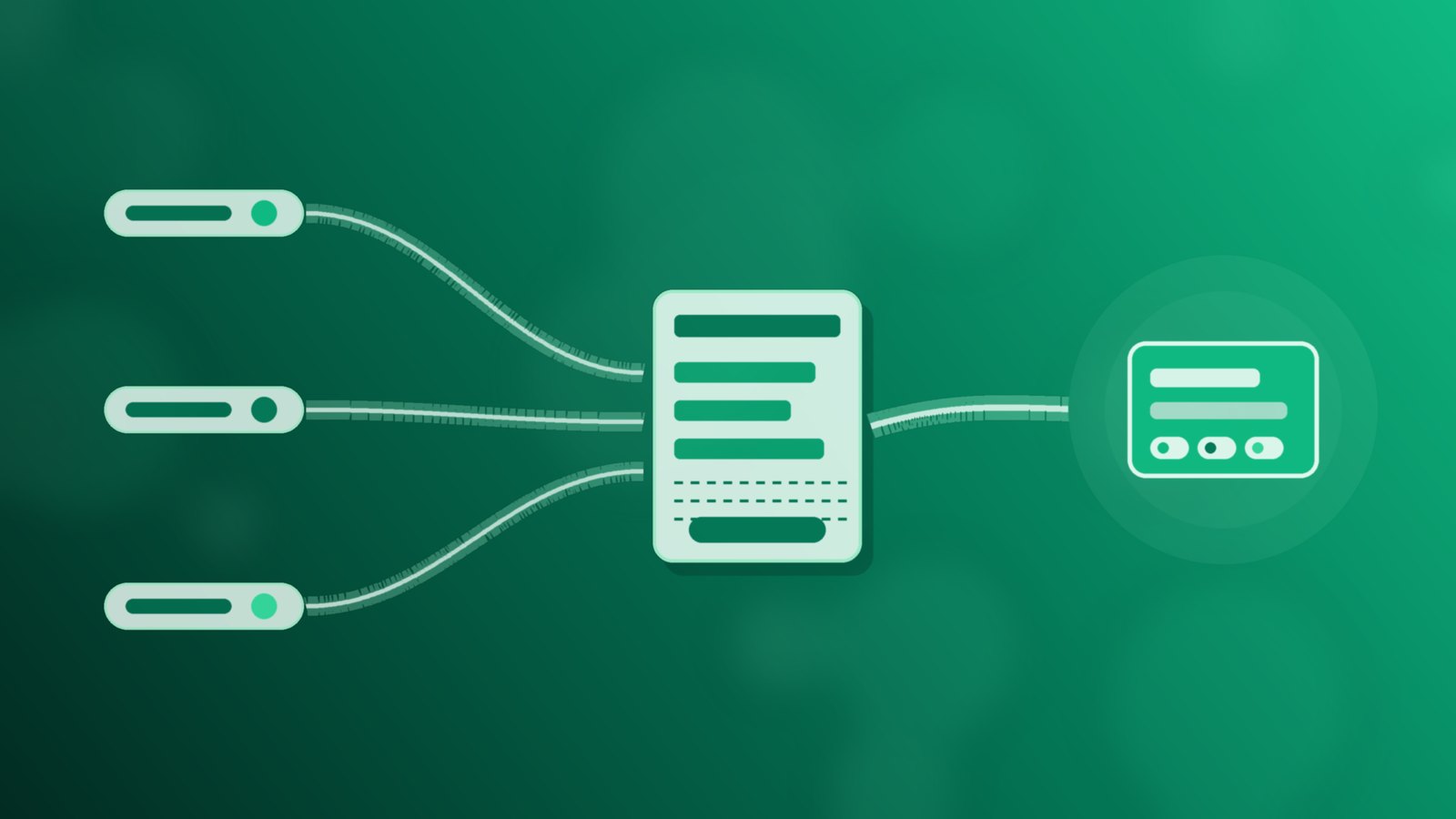
Two plain website techniques close most of that gap: UTM tags on every campaign link, and hidden fields on the form that carry those values along with the enquiry. Neither needs new software. Both need a little discipline, written down once and used every time.
Why "where did this enquiry come from?" gets lost
A visitor clicks an ad, reads two pages, then fills in the contact form. By the time the form is submitted, the link they first clicked is often several pages behind them. The form itself usually records name, phone, email and a message, and nothing about the journey. A few common gaps follow:
- Every campaign lands on the same page, so the page alone cannot tell the ads apart.
- Links are shared without tags, so a social post, a broadcast and a newsletter all look like ordinary visits.
- Staff ask the customer "how did you hear about us?", and the answer is a guess on both sides.
- Different people name the same channel differently, so "fb", "Facebook" and "meta-ads" end up as three sources for one platform.
If you have not yet agreed a short list of source names for your team, start with our guide Which Ad or Form Brought This Enquiry?. This piece goes one step earlier, to the link and the form.
UTM tags, in plain terms
Google's Analytics Help explains the purpose directly: "By adding utm campaign parameters to the destination URLs you use in referral links and ad campaigns, you can view which campaigns refer traffic." (Google Analytics Help, collect campaign data with custom URLs). A UTM tag is simply a set of labelled values added to the end of a link. The same page lists the main parameters:
- utm_source: the referrer, such as a platform or a newsletter.
- utm_medium: the marketing medium, such as paid ads, a banner or email.
- utm_campaign: the product, slogan or promotion the link belongs to.
- utm_content: used to tell apart two creatives or two links in the same message.
The same Google page advises that you should always use utm_source, utm_medium and utm_campaign together. A Diwali offer link in an email might end with ?utm_source=newsletter&utm_medium=email&utm_campaign=diwali-2026. The page the visitor sees does not change; only the link carries extra labels.
Agree one naming sheet before you tag anything
Tags only help if everyone writes them the same way. Before the next campaign goes out, put a one-page naming sheet in a shared folder:
- Sources: one fixed value per platform, in lower case, with no spaces.
- Mediums: a short list, for example paid-social, email, broadcast and referral.
- Campaigns: one name per offer or push, reused on every link for that offer.
- Owner: the one person who adds new values to the sheet, so the list does not drift.
Free link-tagging tools, including the one Google points to from the same help page, will assemble each link once the values are agreed. The sheet is what keeps "diwali-2026" from becoming "Diwali_Offer" on the next post.
Carry the campaign into the form with hidden fields
UTM tags tell your analytics tool about the visit. They do not, on their own, travel with the enquiry. That is the job of hidden form fields. MDN Web Docs describes them: "Hidden inputs are completely invisible in the rendered page, but are still submitted as any other form input." (MDN, input type hidden).
In practice, whoever looks after your website adds hidden fields such as utm_source, utm_medium and utm_campaign to the contact form, plus one for the form or page name. A small script on the site reads the tags from the landing link, keeps them for the visit, and fills the hidden fields when the visitor submits. The customer sees the same short form; the enquiry carries the campaign labels with it.
Two cautions belong in the developer brief. First, MDN warns: "Do not rely on hidden inputs as a form of security." Treat hidden values as a helpful label, not as proof. Second, only collect what you need. India's Digital Personal Data Protection Rules call for "standalone, clear and simple consent notices that transparently explain the specific purpose for which personal data is being collected and used" (PIB, 14 November 2025). Campaign labels are about the link, not the person, but the form should still explain plainly why it asks for contact details.
Test one tagged link from start to finish
Once the fields are in place, open a tagged link on your phone, move through a couple of pages, and submit a test enquiry you can recognise at once. Check that the campaign values arrived with the enquiry, wherever your team reads it. If the form sends enquiries to your intake system as a web request, our piece on sending form enquiries by webhook covers the hand-over and why to retest after every site change. A note written at intake, as set out in capturing enquiry context at intake, is a good place for anything the labels leave out.
Repeat the test whenever a new landing page goes live or a form plugin is updated. A copied page without the hidden fields is the most common way the trail goes quiet again.
Where Flo fits
In Flo, the intake workflow adds source tags to each website-form lead by rule, so the team can see which site or form an enquiry came from.
The UTM tags, the hidden fields and the script that fills them are set up on your website and your forms. What each source name means, who keeps the naming sheet and how the team uses the labels when planning the next campaign remain your team's decisions, written down and shared.
Start with this week's campaign links
Pick the campaign you are running now. Write the naming sheet, tag each of its links with utm_source, utm_medium and utm_campaign, and ask whoever looks after the website to add matching hidden fields to the form that campaign points at. Send one recognisable test enquiry through a tagged link and check the labels arrived. Then do the same for the next campaign before it goes out. If you'd like a walkthrough of Flo, book a short conversation.
Sources: Government of India (DoPT) holiday list for 2026, via ICAR; Google Analytics Help, Collect campaign data with custom URLs; MDN Web Docs, input type hidden; PIB, Digital Personal Data Protection Rules (14 November 2025).
Running a business on WhatsApp? FLO automates the follow-up.
Book a free demo →